
.png)



ব্যাচ শুরু
সোমবার ২৯ ডিসেম্বর
২৯ ডিসেম্বর
লাইভ ক্লাস
রাত ১০:০০- ১১:৩০ (সোম,বুধ)
সাপোর্ট ক্লাস
রবিবার, মঙ্গলবার, বৃহস্পতিবার রাত ১০ টায়


ভর্তি চলছে
৯ম ব্যাচে

.svg)
.svg)
.png)
.svg)
DevOps Engineer হবার পূর্ণ রোডম্যাপ ২০২৬: for absolute beginners
২৫ ডিসেম্বর
রাত ১০:০০টা
কারিকুলাম
১৭ মডিউল
৩৪ লাইভ ক্লাস
Hands on Git, Linux & Cloud (Module 1-4)
ক্লাস নিবেনঃ

Md Sarowar Alam
সপ্তাহ
১
Introduction to DevOps


2 live class

1 Quiz
Live Class 1: Overview of the course curriculum | On boarding people with Cloud, git repos | Onboarding students to whatsapp, facebook and discord channels | Running DevOps Demo application locally and exposing with ngrok
Live Class 2: DevOps Engineering | SDLC and DevOps | What values does a DevOps Engineer brings in the plate | Pros and Cons of becoming a DevOps Engineer | Prerequisities | SWE Experience | Networking Knowledge | Soft Skills | Trouble shooting | Patience
Goal: Setting up the project in local and expose it over ngrok and get reponse
সপ্তাহ
৩
Basic Cloud & Linux
2 live class
1 Quiz
Live Class 1: Introduction to AWS EC2 | Security Groups & Key Pairs | Basic Linux Commands | Package Manager (apt) | Process Manager (systemctl)
Live Class 2: Nginx Installation & Configuration | Route53 and DNS Setup | SSL with Certbot | Automating with Cronjobs
Goal: Installing nginx and exposing nginx | AWS - EC2, security group, Route53, DNS Entries | Linux - Package manager ( apt ) , Process Manager (systemctl) , generating SSL certificate with certbot, and adding cronjobs | Nginx installation
সপ্তাহ
২
Git
2 live class
1 Quiz
Live Class 1: Other version control system | Git branching | Repository roles | Restricting branch deletion, history deletion
Live Class 2: Forking workflow | Remote upstream setup | Pull requests | Deploying repo to Heroku/Render
Goal: Forking the repo and deploying it in heroku / render or similar platform
সপ্তাহ
৪
Deploying application in single instance
2 live class
1 Quiz
Live Class 1: Three-Tier Architecture & Application Setup
Topics: Technology Stack Overview | Database Deep Dive | Backend Architecture | Implement Database and required tools and apps | Implement Backend and related tools and apps
Live Class 2: Frontend Development & AWS Deployment
Topics: Frontend Architecture | AWS Deployment Walkthrough | How to update the Application and the depployment | Run the application and get full view of the Architecture | Guideline how to automate !
Goal: Learn to deploy, manage and udpate a production-ready three-tier application on AWS using industry-standard DevOps tools (Nginx, PM2, PostgreSQL, shell scripts) while understanding infrastructure configuration, monitoring, and the complete journey from localhost to cloud.
CI CD Automation | Monitoring & Logging (Module 5-6)
ক্লাস নিবেনঃ
Md Sarowar Alam
সপ্তাহ
৫
CI/CD with github action
2 live class
1 Quiz
Live Class 1: GitHub Actions Fundamentals
Topic: Understand CI/CD concepts and benefits | Know GitHub Actions architecture (workflows, jobs, steps, runners) | Create and run their first pipeline | Understand YAML syntax basics | Debug pipeline failures
Live Class 2: Automate Full Module 4 Three-Tier App Deployment
Topic: Automate deployment of three-tier application | Use SSH actions to deploy to EC2 | Configure secrets securely | Implement zero-downtime deployments | Monitor deployment logs | Handle rollbacks
Goal: Can set up CI/CD for any web application | Understand how modern DevOps teams work | Portfolio-ready project with automated deployment | Reduced deployment time from 10 minutes to 3 minutes | Secure, reliable, repeatable deployment process
সপ্তাহ
৬
Installing monitoring Server & Log Aggregator ( grafana / pr
2 live class
1 Quiz
Live Class 1: Monitoring Fundamentals & Prometheus
Topics: Why Monitoring Matters | Introduction to Prometheus | Setting Up Prometheus | Hands-on: Install on EC2 | Node Exporter Deep Dive | Configure Prometheus to scrape Node Exporter | PromQL (Prometheus Query Language)
Live Class 2: Visualization, Alerting & Production Monitoring
Topics: Introduction to Grafana | Setting Up Grafana | Hands-on: Deploy Grafana | Add Prometheus Data Source | Creating Your First Dashboard | Use Community Dashboards
Goal: Monitoring Fundamentals, Prometheus Mastery, Grafana Proficiency, Application Monitoring, Alerting & Incident Response
IaC with Ansible & Terraform | (Module 7-9)
ক্লাস নিবেনঃ
Md Sarowar Alam
সপ্তাহ
৭
Intro to Terraform
2 live class
1 Quiz
Live Class 1: Setting up project
Live Class 2: Writing Code and Automate the things that we have done so far
Goal: Installing application in single instance
Geo Based DNS
সপ্তাহ
৯
3 Tier Application - CI/CD , Monitoring & TF
2 live class
1 Quiz
Live Class 1: Update the CI/CD process deploy in all nodes
Live Class 2: Live Class 2: Configure AWS CodePipeline for deployment | Setup monitoring with CloudWatch | Integrate Terraform for infrastructure provisioning
Goal: AWS CI/CD
সপ্তাহ
৮
3 Tier Application - Deploy
2 live class
1 Quiz
Live Class 1: Spliting the application to a 3 Tier Application
Deploy Bakcend in private network
Live Class 2: Frontened deployment with S3 and CF
Goal: AWS RDS, VPC, Subnet, Private Network, Public Network, Nat Gateway, LB, TG, AutoScaling Group
ইন্সট্রাক্টর

Rafaf Tahsin
Lead DevOps Engineer at Sheba xyz | Former Senior Software Engineer II (DevOps) at Infolytx | Former DevOps Engineer at Goama | Fromer Software Engineer in the Cloud (DevOps) at Stibo DX


.png)

Ashik Mostofa Tonmoy
Senior DevOps Engineer at SELISE Digital Platforms | Former DevOps Engineer at W3 Engineers Ltd. | Former DevOps Engineer at Zaynax Group | Former MLOps Engineer at InNeed Intelligent Cloud | Former Machine Learning Engineer at Acme AI



.png)

Md Sarowar Alam
Lead DevOps Engineer at Hogarth Worlwide | Former Senior Executive – MIS Navana Real Estate & Construction Ltd



Simanta Kumar Roy
DevOps & Cloud Engineering Specialist

Md Arif Ahammed Reza
Teaching Assistant at Ostad | Software Engineer at Halo Soft Tech

.png)

Md. Latifur Rahman Rafi
Teaching Assistant at Ostad

.png)
যেসব ট্যুলস ও টেকনোলোজি শিখবেন
.png)
Jenkins
Docker
Kubernetes
Argo CD
.png)
Loki
.png)
Prometheus
Snyk
.png)
AWS
Azure

Ansible

Terraform

Git & Git Hub
কী কী থাকতে হবে

ল্যাপটপ/ডেস্কটপ (মিনিমাম ৮ জিবি র্যাম)


মিনিমাম Core i3 প্রসেসর

২৫৬ জিবি এসএসডি

ভার্সন কন্ট্রোল সিস্টেম: Git এর বেসিক ধারণা ও ব্যবহার জানা।

লেগে থাকার মানসিকতা
কোর্সে আপনি পাচ্ছেন

৩ মাসের স্টাডি প্ল্যান

২৭ টি লাইভ ক্লাস

১১টি প্র্যাক্টিস প্রোজেক্ট

প্রোগ্রেস ট্র্যাকিং

উইকলি ৩ দিন সাপোর্টঁ ক্লাস

কমিউনিটি সাপোর্ট

লাইফটাইম এক্সেস

জব মার্কেট গাইডলাইন

ইন্টারভিউ হ্যান্ডবুক

সার্টিফিকেট
ফিডব্যাক
আমাদের লার্নারদের কাছে শুনুন
ব্যাচ ২ - যা আশা করেছিলাম, তার চেয়েও বেশি শিখেছি। স্যার খুব সুন্দরভাবে বুঝিয়েছেন। সব মিলিয়ে দারুণ একটা অভিজ্ঞতা।
MS
Md Shakil Haque

ব্যাচ ২ - স্যার অনেক সাপোর্টিভ ছিলেন, সেটা সবচেয়ে ভালো লেগেছে। যেটা বুঝিনি, সেটা বারবার বুঝিয়ে দিয়েছেন। সত্যি কথা বলতে, সময়টা একদম কাজে লেগেছে।
IQ
Ibnul Quayum Imran
ব্যাচ ৬ রানিং - ক্লাসটা একদম দারুণ হয়েছে। কনটেন্ট খুবই কাজে লেগেছে আর প্রত্যাশার থেকেও ভালো লেগেছে। ইনস্ট্রাক্টরের ব্যাখ্যা পরিষ্কার ছিল। ধন্যবাদ!
SH
Shuayeb Hasan
ব্যাচ ২ - যা জানতাম না, সেটা শিখেছি। স্যার খুব সহজভাবে সব কিছু বুঝিয়েছেন, তাই ক্লাসটা অনেক ইনজয় করেছি।
MT
Md. Tanvir Arif Siddiqui
ব্যাচ ২ - স্যারের শেখানোর স্টাইল ভালো, একদম সহজভাবে বুঝিয়েছেন। নতুন কিছু শেখার মোটিভেশন পেলাম। সময়টা একদম কাজে লেগেছে।
FS
Farhan Sadiq Mullick
ব্যাচ ৬ রানিং - খুব সুন্দরভাবে গোছানো ক্লাস। শেখানোর ধরণ আলাদা এবং সহজবোধ্য।
SC
Shibu Chandra Debnath
ব্যাচ ২ - সবকিছু সহজভাবে বুঝানো হয়েছে, তাই বুঝতে কোনো সমস্যা হয়নি। স্যারের বোঝানোর স্টাইলটা খুবই ভালো লেগেছে। ধন্যবাদ!
AR
Ariur Rahman
ব্যাচ ৬ রানিং - ক্লাসটা ভালোই ছিল, শেখার জন্য ইম্পোর্ট্যান্ট বিষয়গুলো কভার করা হয়েছে। ইনস্ট্রাক্টর কনসেপ্ট ভালোভাবে বোঝান এবং স্টুডেন্টদের সাথে কানেক্ট করেন।
MT
MD. Tahsin Ferdous
ব্যাচ ৬ রানিং - একজন খুবই ভালো ইন্সট্যাক্টর। কনসেপ্টগুলো সব সহজভাবে বুঝিয়েছেন।
ME
Md Ebrahim Mia
ব্যাচ ৬ রানিং - সব মিলিয়ে ক্লাসগুলো ভালো হয়েছে। ইনস্ট্রাক্টরের বোঝানোর ধরণ ভালো লেগেছে।
KF
Kazi Fabliha Tasnim
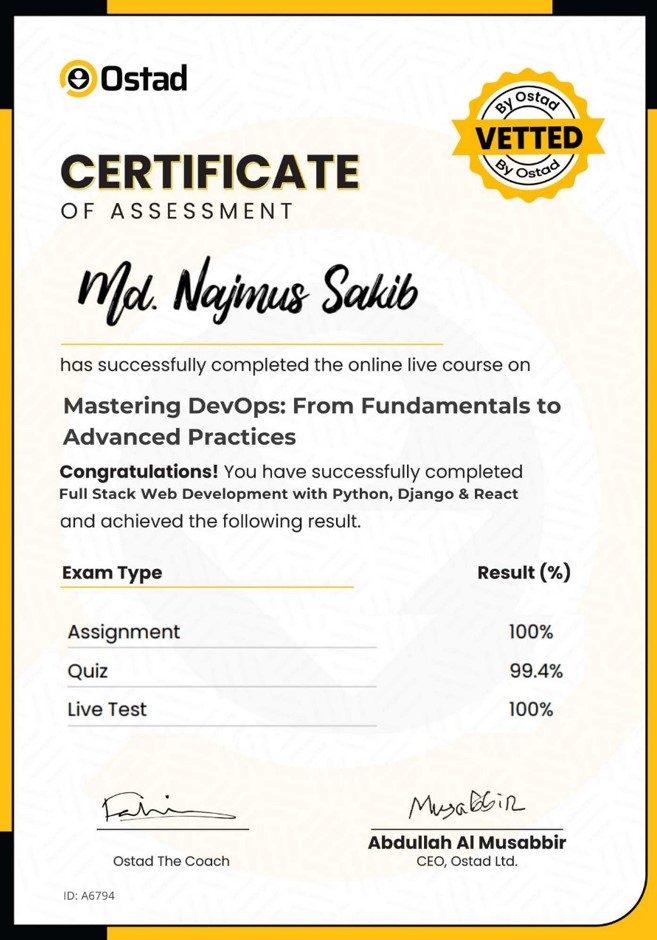
সার্টিফিকেট
কোর্স শেষে পেয়ে যান শেয়ারেবল কোর্স কমপ্লিশন এবং এসেসমেন্ট সার্টিফিকেট
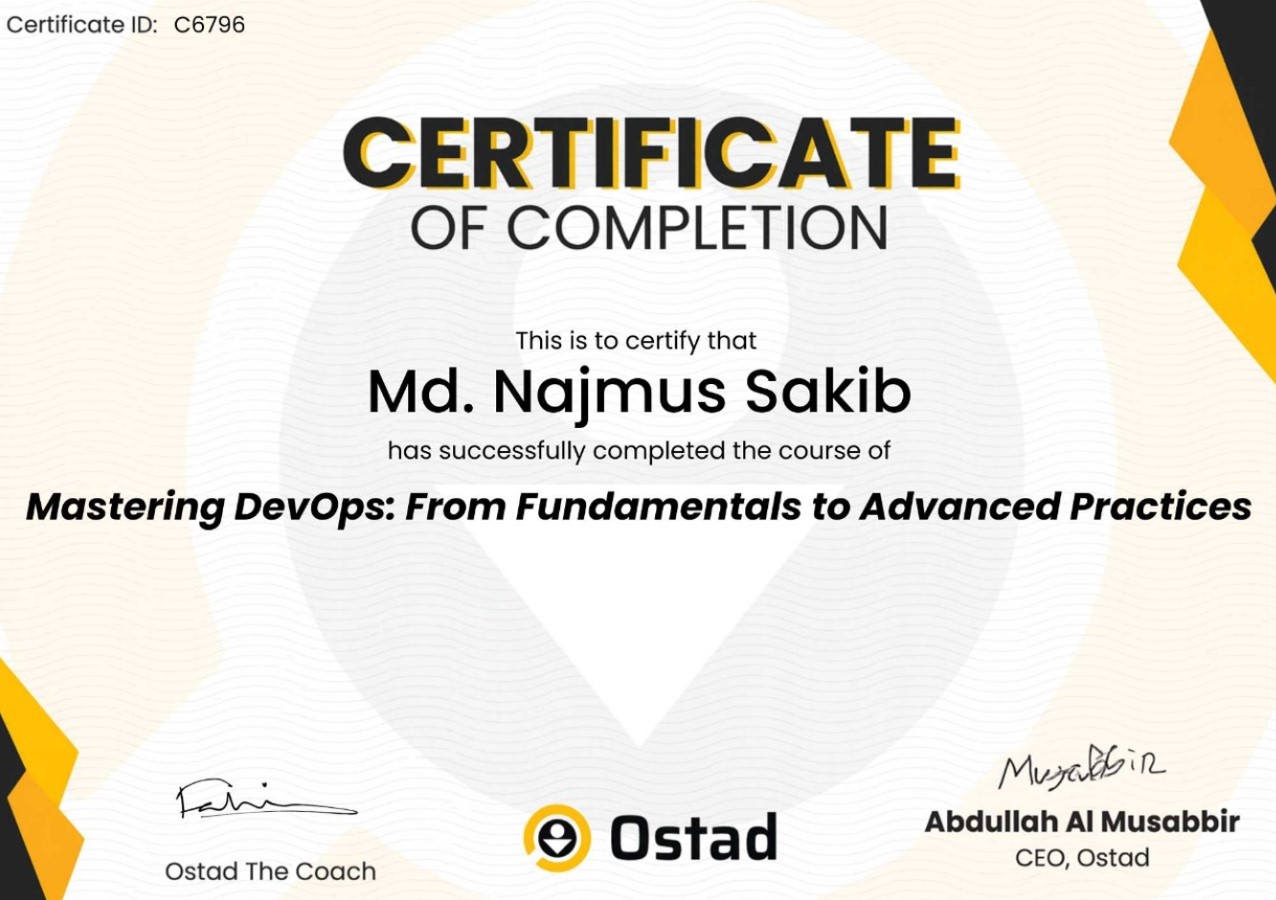
কোর্স কমপ্লিট করে পেয়ে যান শেয়ারেবল কোর্স কমপ্লিশন সার্টিফিকেট
কোর্সে আপনার এসেসমেন্টের রেজাল্টের ওপর পেয়ে যান এসেসমেন্ট সার্টিফিকেট
প্রায়ই জিজ্ঞেস করা প্রশ্ন
1. আমি কি ভিডিওগুলো ডাউনলোড করতে পারবো?
 হ্যা, ওস্তাদের অ্যাপে আপনি ভিডিও ডাউনলোড করে রাখতে পারবেন।
2. আমি কি মোবাইল দিয়ে জয়েন করতে পারবো?
মোবাইল দিয়ে লাইভ ক্লাসে জয়েন করতে পারবেন কিন্তু প্র্যাকটিস করতে পারবেন না3. আমার কি ভিডিওগুলোর লাইফটাইম এক্সেস থাকবে?
জ্বি, ভিডিও এবং রিসোর্সের লাইফ টাইম এক্সেস পাচ্ছেন।4. লাইভ ক্লাস কোথায় হবে ?
লাইভ ক্লাসে আপনি একটি সিঙ্গেল ক্লিকে জয়েন করে ফেলতে পারবেন ওস্তাদ প্ল্যাটফর্ম থেকেই।5. এসেসমেন্ট কিভাবে হবে?
প্রতি সপ্তাহে থাকবে একটি করে কুইজ এবং এক্সাম উইকে থাকবে এসাইনমেন্ট এবং কুইজ।6. দেশের বাইরে থেকে কিভাবে পেমেন্ট করবো?
ওস্তাদের ইন্টারন্যাশনাল পেমেন্ট গেটওয়ের (Stripe) মাধ্যমে আপনি ক্রেডিট কিংবা ডেবিট কার্ড দিয়ে পে করতে পারবেন।7. লাইভ ক্লাসের রেকর্ডিং থাকবে?
জ্বী, পাবেন লাইভ ক্লাস রেকর্ডিং এর লাইফ টাইম এক্সেস।8. প্র্যাকটিস করতে গিয়ে সমস্যায় পড়লে সাপোর্ট পাবো কোথায়?
যেকোনো সমস্যায় দুইবেলা সাপোর্ট ক্লাসে স্ক্রিন শেয়ার করে সাপোর্ট নিবেন দক্ষ সাবজেক্ট ম্যাটার এক্সপার্টদের থেকে।
কিভাবে পেমেন্ট করবো?
1. পেমেন্ট মেথড কি কি?
আপনি সরাসরি ওস্তাদের পেমেন্ট গেইটওয়ের মাধ্যমে Bkash, Nagad, Rocket, Visa, Mastercard, Debit and Credit কার্ড দিয়ে পেমেন্ট করতে পারবেন।2. আমি কি যেকোনো ডিভাইস দিয়ে পেমেন্ট করতে পারবো?
জ্বী, আপনি ফোন, পিসি কিংবা ল্যাপটপ যেকোনো ডিভাইস দিয়ে পেমেন্ট করতে পারবেন।3. পেমেন্ট প্রসেস কি?
পেমেন্ট করার জন্য প্রথমে ব্যাচে ভর্তি হোন বাটনে ক্লিক করুন। এরপর পেমেন্ট পেইজ থেকে পেমেন্ট মেথড সিলেক্ট করে পেমেন্ট করুন বাটনে ক্লিক করুন এবং পেমেন্ট সম্পন্ন করুন।4. ডিসকাউন্ট কিভাবে পাবো?
আপনি ব্যাচে ভর্তি হওয়ার আগে এভেইলেবল প্রোমো কোড বসিয়ে এক্সপেক্টেড ডিসকাউন্ট পেতে পারেন।5. পেমেন্ট কনফার্মেশন কিভাবে পাবো?
পেমেন্ট প্রসেস শেষ হলে আপনার কাছে একটি মেসেজ আসবে এবং আপনার ড্যাশবোর্ডে আপনার জয়েন করা ব্যাচটি দেখাবে। আপনার স্টাডি প্লান অনুযায়ী কোর্স শুরু করে দিতে পারবেন।6. আমার লেনদেনের হিসাব থাকবে কি?
আপনার ড্যাশবোর্ডে আপনি প্রোফাইল থেকে ট্রাঞ্জেকশন ট্যাবে ক্লিক করে লেনদেন দেখতে পারবেন।
ক্যারিয়ার কাউন্সিলরের সাথে কথা বলুন

প্রোমো কোড HNY37 ৩৭% ডিসকাউন্ট, আর বাকি ৫ দিন !
