
.png)


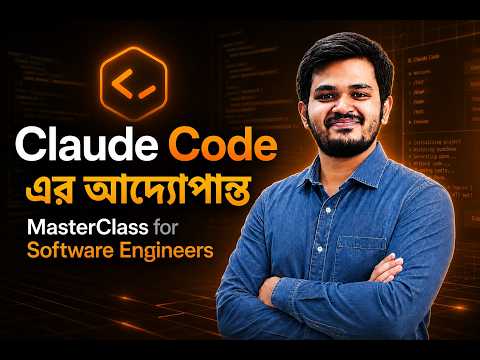
AI-Powered Software Engineering: Master Claude Code, CI/CD Automation & Agent Workflow
৳৩,০০০
ব্যাচ শুরু
মঙ্গলবার ৩০ জুন
৩০ জুন
লাইভ ক্লাস
রাত ৯:০০- ১০:৩০ (রবি,মঙ্গল)

কোর্স সম্পর্কে:
এই কোর্সে যা যা শিখবেন
- Claude.ai, Claude Code ও পুরো Claude ecosystem
- Advanced Prompt Engineering for Software Development
- AI ব্যবহার করে large codebase বুঝা ও refactor করা
- Custom Slash Commands ও CLAUDE.md workflow
- Subagents Architecture ও Autonomous AI Workflow
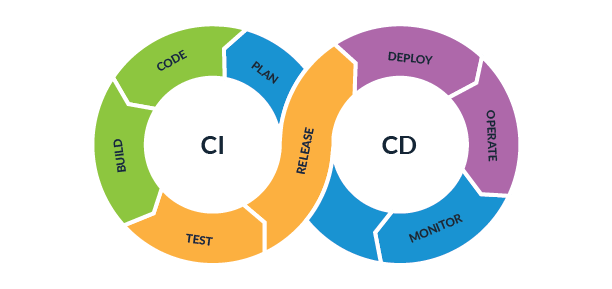
- GitHub Actions ও CI/CD automation
- AI-powered PR Review System
- MCP (Model Context Protocol) Integration
- Custom MCP Server Development
- AI Agent Development with Python & TypeScript
- Multi-agent orchestration ও production deployment
- AI-assisted debugging, testing ও documentation workflow
কোর্সে যেসব Project করবেন
- AI-Powered Code Documentation Generator
- Automated PR Review Bot
- Smart Customer Support Triager with MCP
- Production-ready Autonomous AI Agent (Capstone)
- GitHub + Slack Integrated AI Workflow
- AI-based CI/CD Automation System
- Multi-agent Collaboration Project
কোর্সটি করে কীভাবে উপকৃত হবেন
- Traditional developer থেকে AI-native engineer এ transform হতে পারবেন
- Coding speed ও productivity কয়েকগুণ increase হবে
- Repetitive engineering task automate করতে পারবেন
- Modern AI engineering workflow industry level এ ব্যবহার করতে পারবেন
- Remote job ও global software market-এর জন্য future-proof skill develop হবে
- AI Agent, MCP ও automation নিয়ে real production experience পাবেন
- Strong portfolio project তৈরি হবে যা hiring manager-এর attention grab করবে
- আগামী generation-এর software engineering ecosystem-এর জন্য নিজেকে প্রস্তুত করতে পারবেন



কারিকুলাম

কোর্সে আপনি পাচ্ছেন

কোর্সটি যাদের জন্য

FAQ

পেমেন্ট
কারিকুলাম
কোর্সে আপনি পাচ্ছেন
কোর্সটি যাদের জন্য
FAQ
পেমেন্ট
কোর্স করার আগে ডেমো ক্লাস করে দেখুন
ইন্ডাস্ট্রি এক্সপার্টের লাইভ ক্লাস কেমন হয়, দেখে নিন

Masterclass on MCP for Software Developers

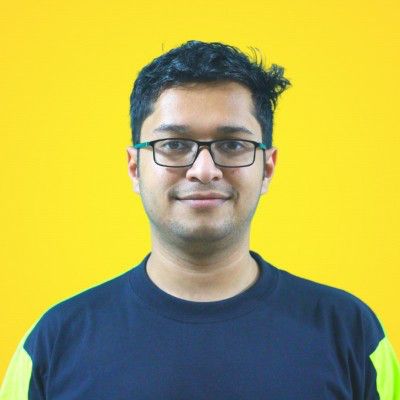
Shariful Islam Mubin
Co-Founder & CTO at Ostad | Co-Founder at Mocku AI
লাইভ ডেমো ক্লাস
কোর্সে জয়েনের আগে লাইভ ডেমো ক্লাস করে নিন।
Masterclass on MCP for Software Developers
২৫ জুন
রাত ৯:০০টা
.png)

১৫৬০ জন লাইভ ডেমো ক্লাসটি বুক করেছেন।
১৫৬০ জন লাইভ ডেমো ক্লাসটি বুক করেছেন।
কারিকুলাম
৪ মডিউল
৮ লাইভ ক্লাস
সপ্তাহ
১
Build an AI-Powered Code Documentation Generator


2 live class
Live Class 1 : Claude Code Setup | LLMs | Prompt Engineering vs Context Engineering | Claude Ecosystem Deep Dive (Claude.ai vs Claude Code vs API) | Prompt Caching | Hands-on : Claude Code ইউজ করে Code Documentation Generator এর ফার্স্ট ভার্সন রেডি করা
Live Class 2 : CLAUDE.md Architecture | Multi-file Refactoring | Plan Mode | Custom Slash Commands | Permissions & Hooks | Hands-on : Documentation Generator কে full automation tool বানানো with CLAUDE.md & custom commands
সপ্তাহ
৩
Build a Smart Customer Support Triager with MCP
2 live class
Live Class 1 : Messages API Deep Dive | Model Selection (Opus 4.7, Sonnet 4.6, Haiku 4.5) | Streaming & Real-time UX | Token Optimization | Tool Use Fundamentals | Parallel Tool Use | Programmatic Tool Calling | Tool Search | Hands-on : Triager এর core API + Tool Use logic বানানো
Live Class 2 : Built-in Server Tools (Web Search, Code Execution, Memory, Bash) | Model Context Protocol (MCP) Architecture | Connecting MCP Servers (GitHub, Slack) | Building Custom MCP Servers | stdio vs HTTP Transport | Hands-on : Triager কে Slack ও GitHub এর সাথে MCP দিয়ে integrate করা
সপ্তাহ
২
Build an Automated PR Review Bot
2 live class
Live Class 1 : Subagents Architecture (Explore, Plan, Custom Subagents) | Context Management Strategies | Test-Driven Development with AI | Refactoring Legacy Code | Background Tasks & Parallel Sessions | Hands-on : Review logic বানানো subagents দিয়ে
Live Class 2 : Claude Code in CI/CD Pipelines | GitHub Actions Integration | Auto-fixing Failing Tests | Issue Triage Automation | Hands-on : Bot কে GitHub Actions এ deploy করা & live PR এ test করা
সপ্তাহ
৪
Build & Deploy a Production AI Agent (Capstone)
2 live class
Live Class 1 : Agent SDK | The Agent Loop Explained | Building Autonomous Agents (Python/TypeScript) | File System Access | Multi-step Task Execution | Permission Strategies | Hooks & File Checkpointing | Sandboxing & Container Hosting | Managed Agents API | Hands-on : Agent এর core autonomous loop বানানো
Live Class 2 : Agent Skills Deep Dive | Pre-built Skills (pptx, xlsx, docx, pdf) | Building Custom Skills (SKILL.md, YAML Frontmatter, Bundling Resources) | Multi-Agent Orchestration | Hands-on : Custom Skill add করা + Agent কে production এ deploy করা + Demo Day
কোর্সটি আপনারই জন্য

ইন্সট্রাক্টর

Shariful Islam Mubin
Co-Founder & CTO at Ostad | Co-Founder at Mocku AI | Founder at AlgoSoft Technologies
.png)

যেসব ট্যুলস ও টেকনোলোজি শিখবেন

Claude
Claude Code

Anthropic API
.png)
MCP
AI Agents

Agent SDK

GitHub Actions
CI/CD
Subagents
.png)
Slack
Python
.svg)
TypeScript

VS Code
কী কী থাকতে হবে

ল্যাপটপ/ডেস্কটপ (৮ জিবি র্যাম রেকমেন্ডেড)

ভালো ইন্টারনেট কানেকশন

প্রোগ্রামিং/সফটওয়্যার ডেভেলপমেন্টের অভিজ্ঞতা
কোর্সে আপনি পাচ্ছেন

১ মাসের গাইডেড জার্নি

৮ টি লাইভ ক্লাস

৪ টি Production-Grade প্রজেক্ট

প্রোগ্রেস ট্র্যাকিং

কমিউনিটি সাপোর্ট

লাইফটাইম এক্সেস

AI Engineering ক্যারিয়ার গাইডলাইন

সার্টিফিকেট
কোর্স শেষে পাচ্ছেন এক্সক্লুসিভ জব প্লেসমেন্ট সাপোর্ট!

কোর্সটি আপনারই জন্য
প্রায়ই জিজ্ঞেস করা প্রশ্ন

কিভাবে পেমেন্ট করবো?
1. পেমেন্ট মেথড কি কি?
 আপনি সরাসরি ওস্তাদের পেমেন্ট গেইটওয়ের মাধ্যমে Bkash, Nagad, Rocket, Visa, Mastercard, Debit and Credit কার্ড দিয়ে পেমেন্ট করতে পারবেন।
2. আমি কি যেকোনো ডিভাইস দিয়ে পেমেন্ট করতে পারবো?
জ্বী, আপনি ফোন, পিসি কিংবা ল্যাপটপ যেকোনো ডিভাইস দিয়ে পেমেন্ট করতে পারবেন।3. পেমেন্ট প্রসেস কি?
পেমেন্ট করার জন্য প্রথমে ব্যাচে ভর্তি হোন বাটনে ক্লিক করুন। এরপর পেমেন্ট পেইজ থেকে পেমেন্ট মেথড সিলেক্ট করে পেমেন্ট করুন বাটনে ক্লিক করুন এবং পেমেন্ট সম্পন্ন করুন।4. ডিসকাউন্ট কিভাবে পাবো?
আপনি ব্যাচে ভর্তি হওয়ার আগে এভেইলেবল প্রোমো কোড বসিয়ে এক্সপেক্টেড ডিসকাউন্ট পেতে পারেন।5. পেমেন্ট কনফার্মেশন কিভাবে পাবো?
পেমেন্ট প্রসেস শেষ হলে আপনার কাছে একটি মেসেজ আসবে এবং আপনার ড্যাশবোর্ডে আপনার জয়েন করা ব্যাচটি দেখাবে।6. আমার লেনদেনের হিসাব থাকবে কি?
আপনার ড্যাশবোর্ডে আপনি প্রোফাইল থেকে ট্রাঞ্জেকশন ট্যাবে ক্লিক করে লেনদেন দেখতে পারবেন।
ক্যারিয়ার কাউন্সিলরের সাথে কথা বলুন

*সকাল ১০ টা থেকে রাত ১০টা পর্যন্ত
প্রোমো কোড MESSI ৩৫% ডিসকাউন্ট, আর বাকি ০মি. ০সে. !